Stop juggling spreadsheets, sticky notes, and separate apps. EZcontractPRO's smart scheduling calendar connects your jobs, clients, and milestones in one visual command center that keeps your crew on track and your clients informed.
Try It Free
Designed specifically for contractors who manage multiple jobs, crews, and client expectations simultaneously. No generic calendar app comes close.
Every scheduled visit links directly to a client, project, and estimate. No more orphaned appointments or "which job was this for?" confusion.
Scheduled, confirmed, in-progress, completed - each status has its own color. Scan your week and know exactly where every job stands.
Weather delay? Client conflict? Just drag the visit to a new date. The system updates everything automatically - no data entry required.
Mark a visit complete and get prompted to create an invoice. Never forget to bill for work you've done. Your cash flow will thank you.
Assign visits to specific crew members or subcontractors. Everyone knows where they need to be and when, reducing calls and confusion.
Landscaping, pool service, cleaning contracts - set up recurring schedules that auto-generate visits based on your service agreements.
See how the calendar integrates seamlessly with your project workflow, turning signed estimates into scheduled, trackable work.
Your estimate gets signed and the project goes active. Right from the project page, click "Schedule Visit" to open the calendar with your client and project already selected. No re-entering information.
Pick your date, set the time, add a description like "Demo and rough framing" or "Initial site prep." Assign a crew member if you have a team. The visit appears on your calendar, color-coded by status.
Update the status as work progresses: Scheduled → Confirmed → In Progress → Completed. Your calendar becomes a live dashboard of what's happening across all your jobs today.
When you mark a visit complete, the system asks if you want to create an invoice. One click, and you're billing for the work you just finished. The visit record stays linked forever for your records.
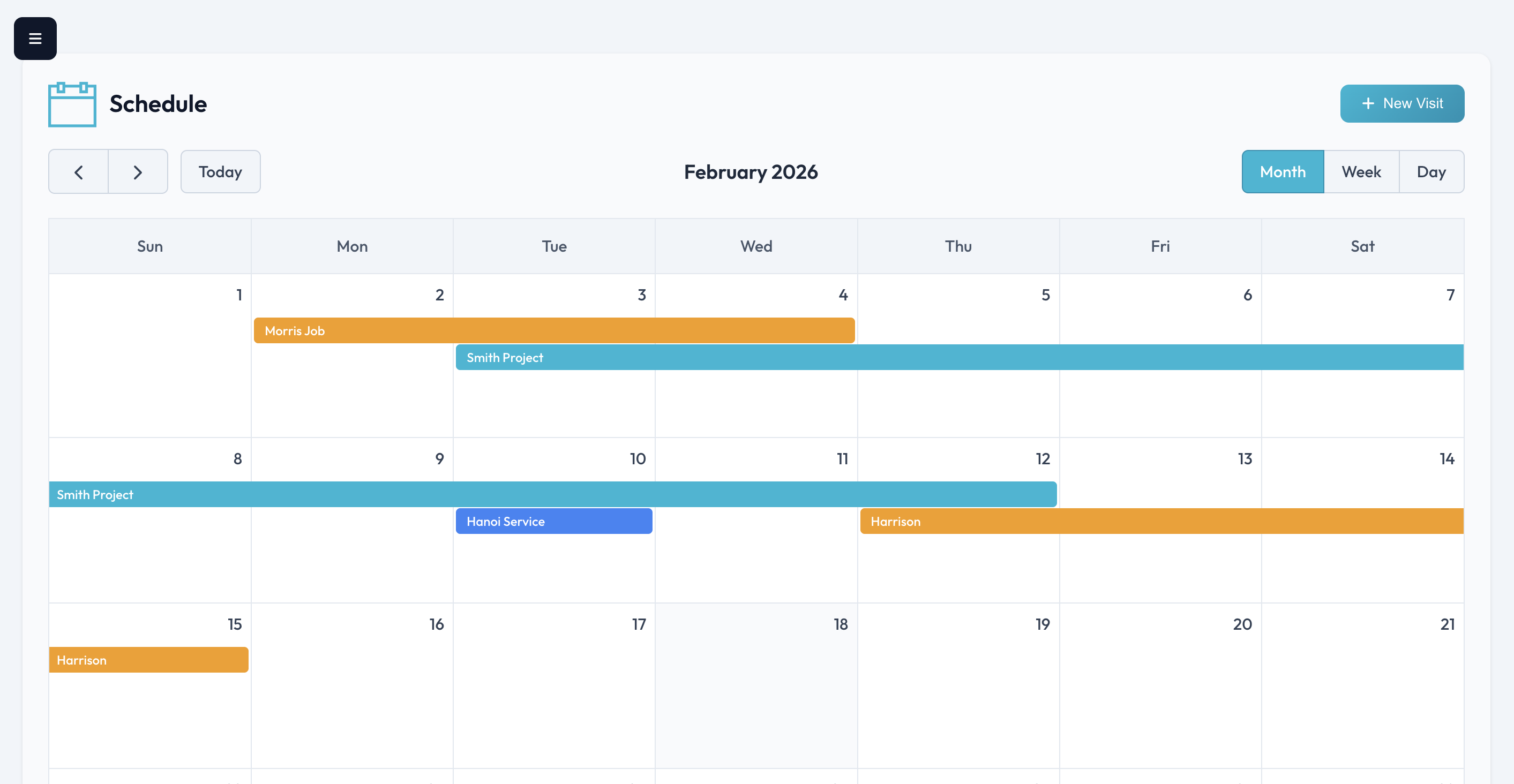
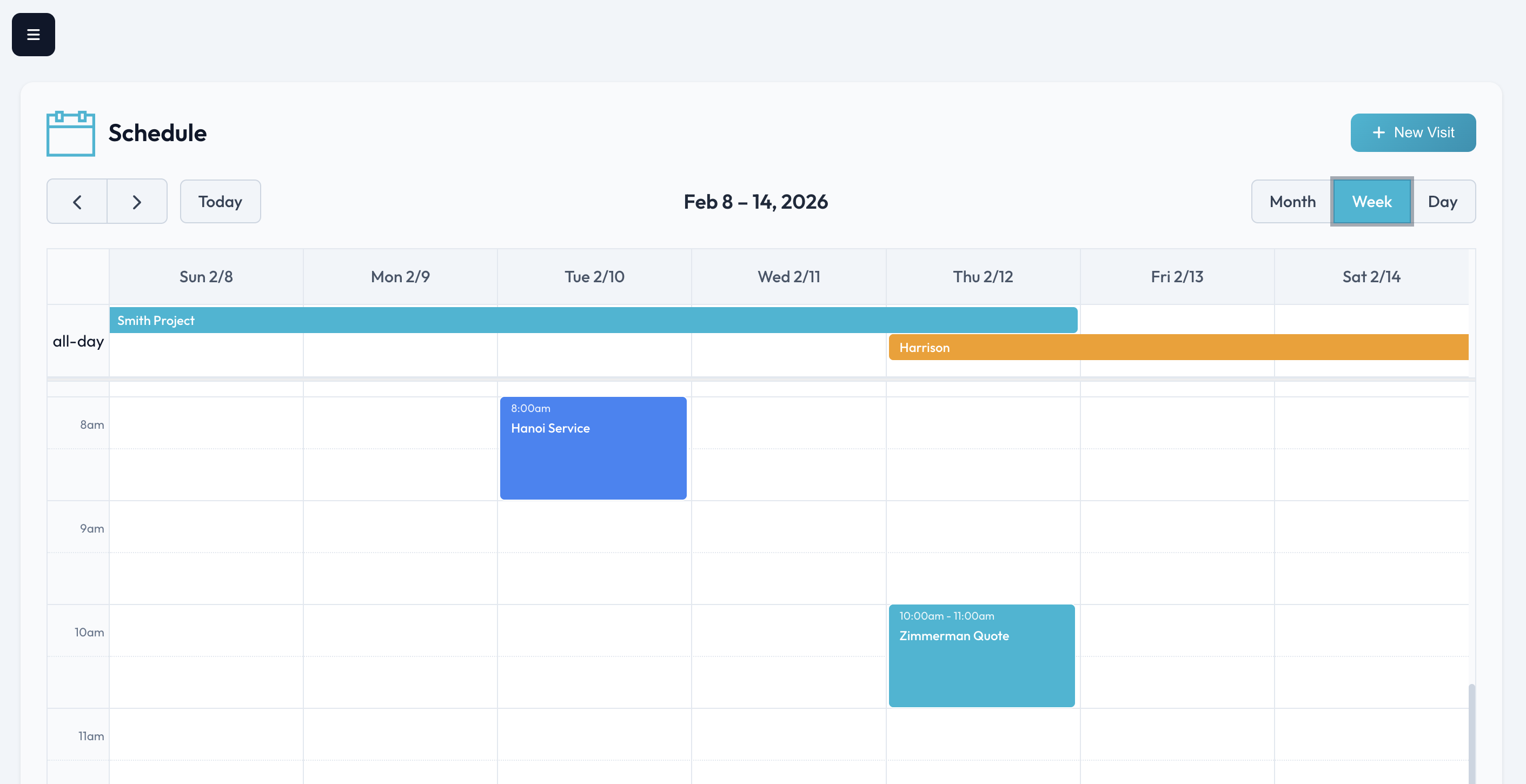
Toggle between views depending on how you work. The monthly view gives you the big picture for planning. The weekly view is perfect for your morning team huddle. And the day view shows you exactly what's happening today, hour by hour.
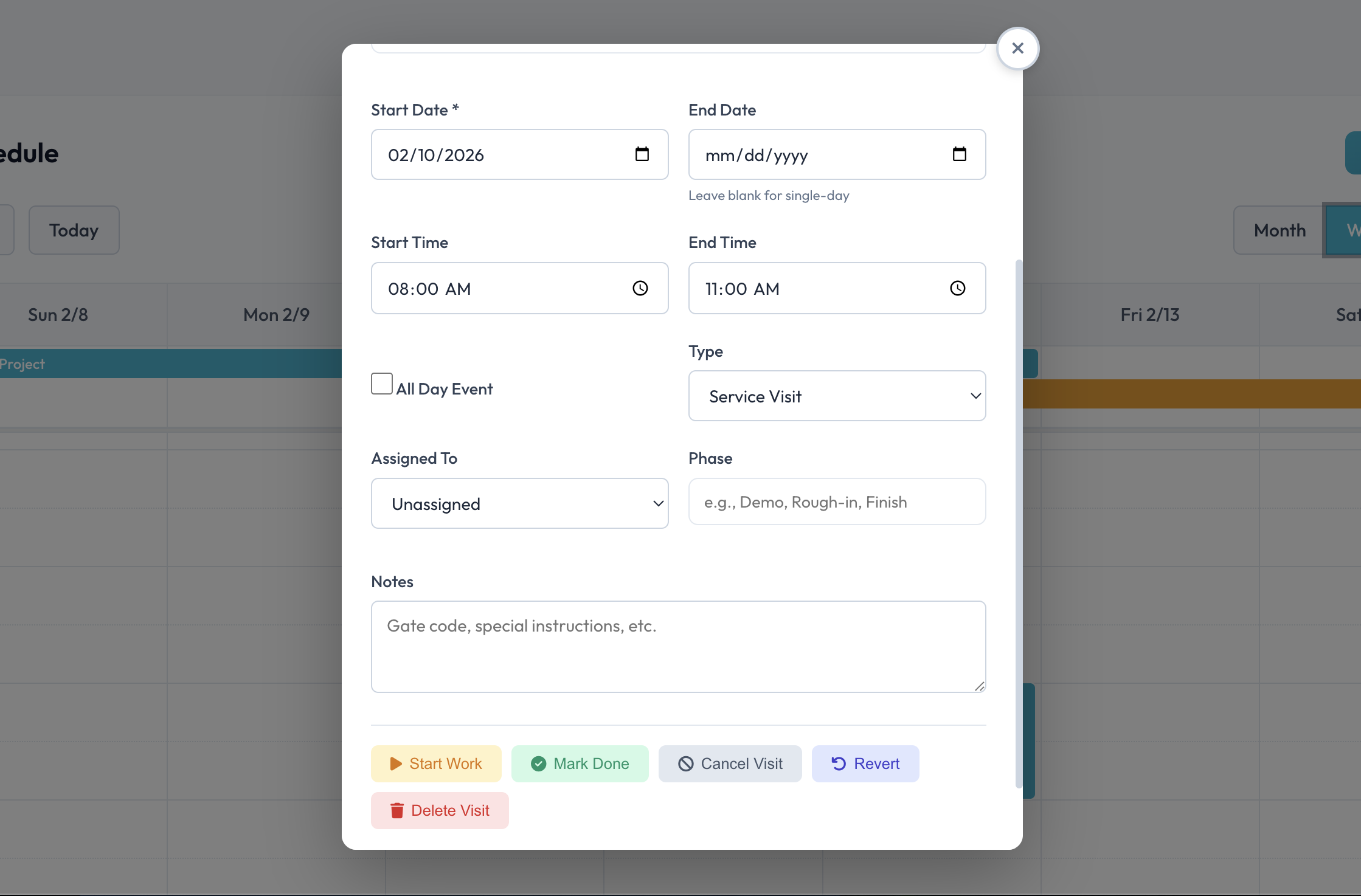
Click any visit to see the full details panel. Update the status, add notes, view the linked client and project, or jump directly to the project page - all without losing your place. Need to reschedule? Just drag it to a new slot.
Whether you're a solo operator or managing a crew, the calendar adapts to your workflow.
Managing multiple active jobs means knowing exactly which phase each project is in. Schedule milestone visits like "Inspection Day" or "Final Walkthrough" and track completion across your entire portfolio. When the client asks "when will you be out?" you have the answer in seconds.
Pool service, lawn care, cleaning companies - your business runs on repeat visits. The calendar integrates with recurring billing to auto-schedule based on your service agreements. Weekly mow? It's already on the calendar for the next six months.
Electricians, plumbers, HVAC techs - you're often working on multiple calls per day. The day view shows your route at a glance. Complete a job, mark it done, and the billing prompt means you invoice before you even leave the driveway.
Painters, remodelers, custom builders - your jobs span days or weeks. Schedule each phase as a separate visit, track progress day by day, and give clients accurate updates. When the job is done, every visit is logged and linked to the final invoice.
Join thousands of contractors who've stopped losing jobs to scheduling chaos. Start your free trial and see your entire operation on one calendar.
Start Your Free Trial